Time Clock Management
From a phone-based timekeeping process to a connected workforce application.
Time Clock Management was developed to transform a legacy phone-based timekeeping process into a connected, role-based workforce application. The product brings employee time entry, manager approvals, payroll preparation, and administrative oversight into a clearer digital workflow.
The opportunity was larger than the clock-in moment.
Timekeeping connects employee entries to manager review, payroll preparation, and administrative oversight. The product was conceived around those handoffs—not as a digital clock-in screen alone. Its framework below records the intended experience: clearer role-specific actions, visible handoffs, and appropriate operational control. These are design principles, not claims that every workflow is production-ready.
Make timekeeping easier to enter, manage, approve, and prepare for payroll.
A role-based timekeeping web application that transforms a legacy phone-based process into a clearer digital workflow for employees, managers, payroll, and administrators.
- Employees
- Managers / Supervisors
- Payroll
- Administrators
- Clarity
- Role-Based Workflows
- Operational Control
- Payroll Readiness
- Make the next action obvious.
- Design around the user's role.
- Reduce unnecessary steps.
- Make handoffs visible.
- Validate workflows before adding complexity.
01
Clarity
Make the required information and next action understandable.
02
Accountability
Make approvals, changes, and decisions traceable.
03
Efficiency
Connect activities that otherwise require disconnected processes.
04
Control
Use permissions and business rules to support appropriate governance.
A role-based product makes a complex workflow easier to reason about.
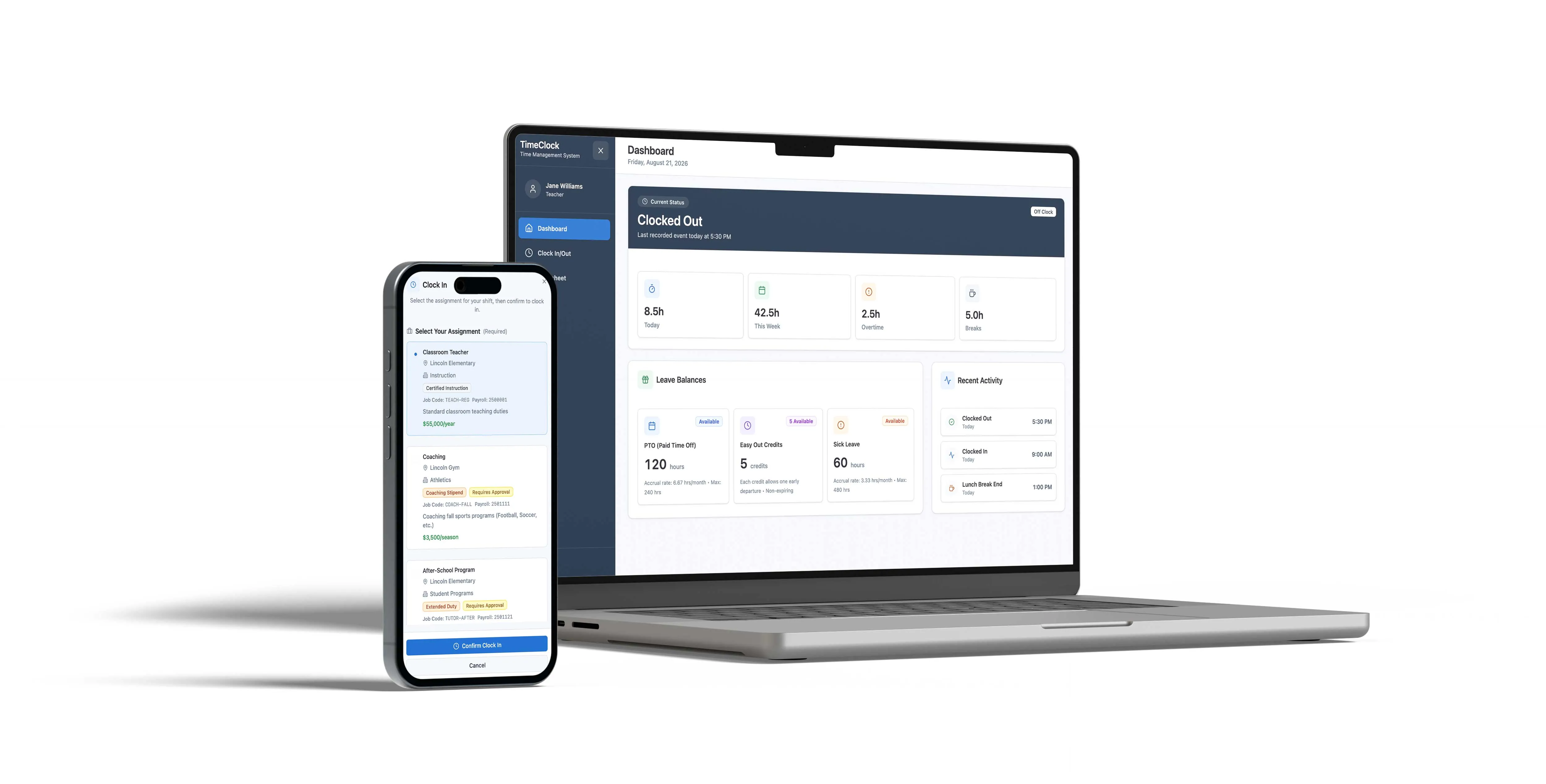
An earlier workflow concept explored how a phone-based timekeeping process might translate into a digital product. The 2026 project independently developed that direction through requirements, prioritization, UX/UI decisions, workflow definition, testing, and iteration. The dashboard visual makes the broader product concept tangible; it represents interface design, not a claim of completed district deployment.
The product strategy also addressed time corrections as part of the connected workflow, with application development proceeding incrementally.
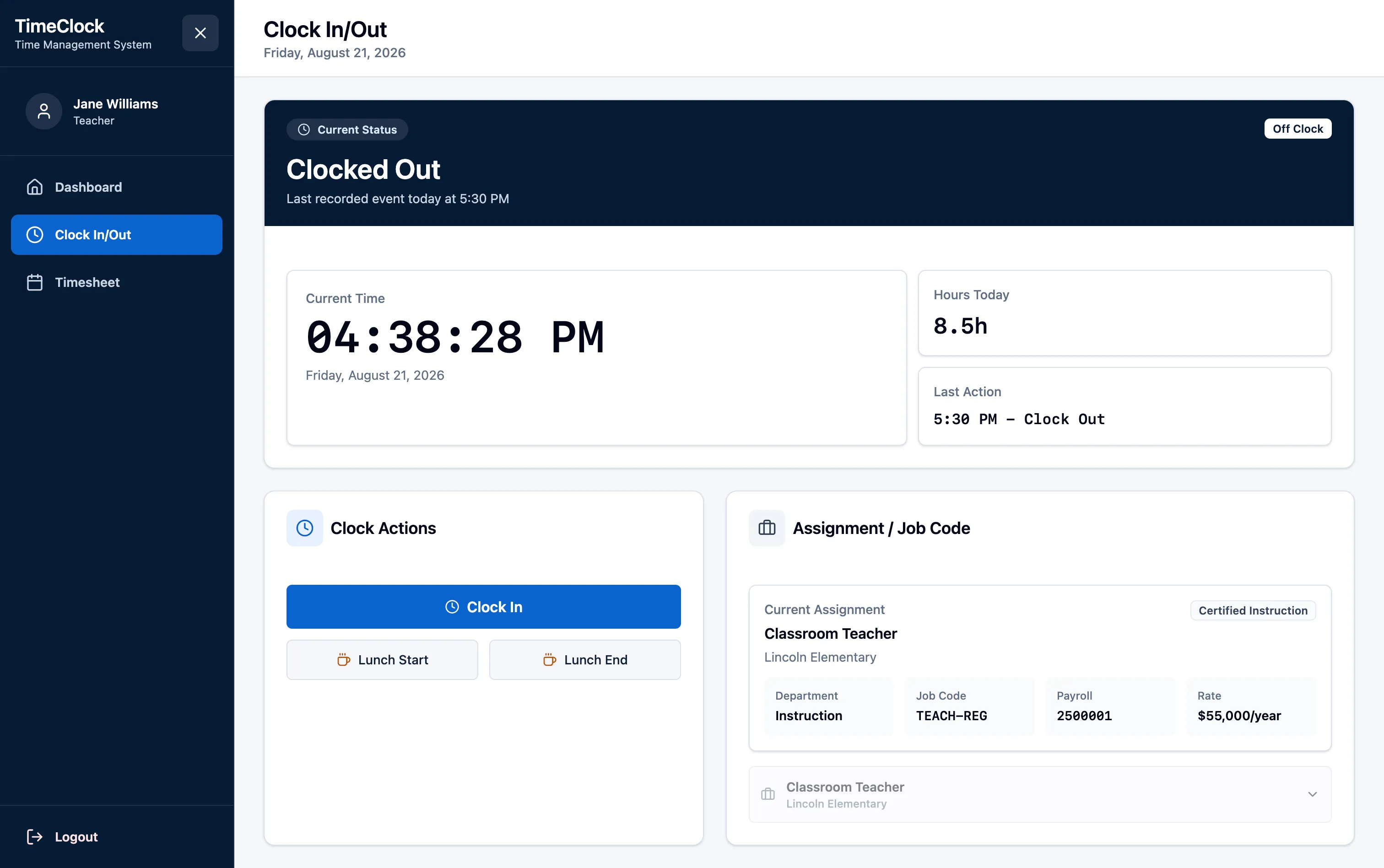
Each role needs a clear responsibility and handoff.
Workflow analysis connected employee time entry with manager review, payroll-oriented processes, and administrative controls. Separating those responsibilities helps make the next action understandable while keeping the overall process connected. The open role framework below is preserved as the project’s concise view of those distinct needs.
The product evolved through staged learning.
The work moved from a Figma Make concept through workflow analysis, requirements, interactive prototyping, and iterative validation. Separate local application development now demonstrates selected backend capabilities, including a read-only organization-wide audit view for approved roles; that route is limited to the local harness and is not part of the deployed demonstration. Production identity, deployment, operational security, and unfinished reporting remain future work. The original development sequence below is unchanged.
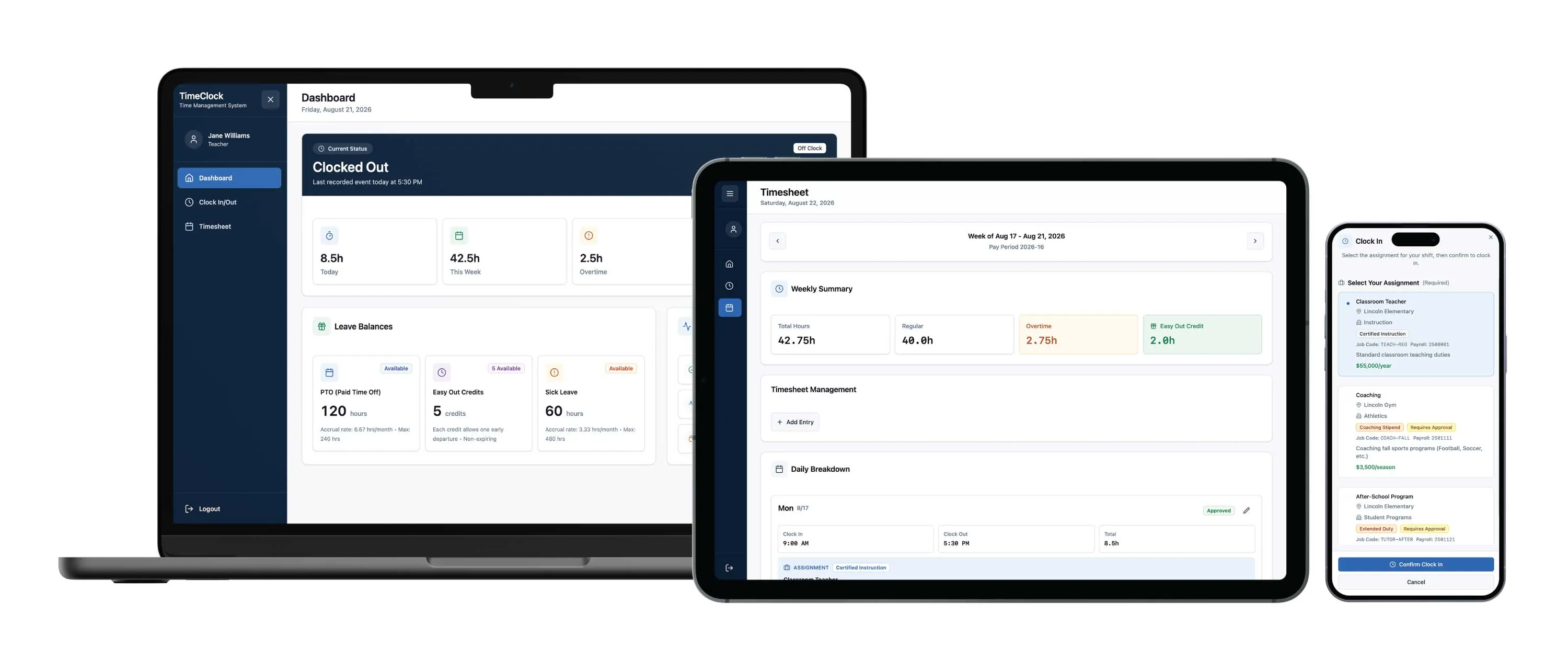
Mobile entry is one part of a role-specific product.
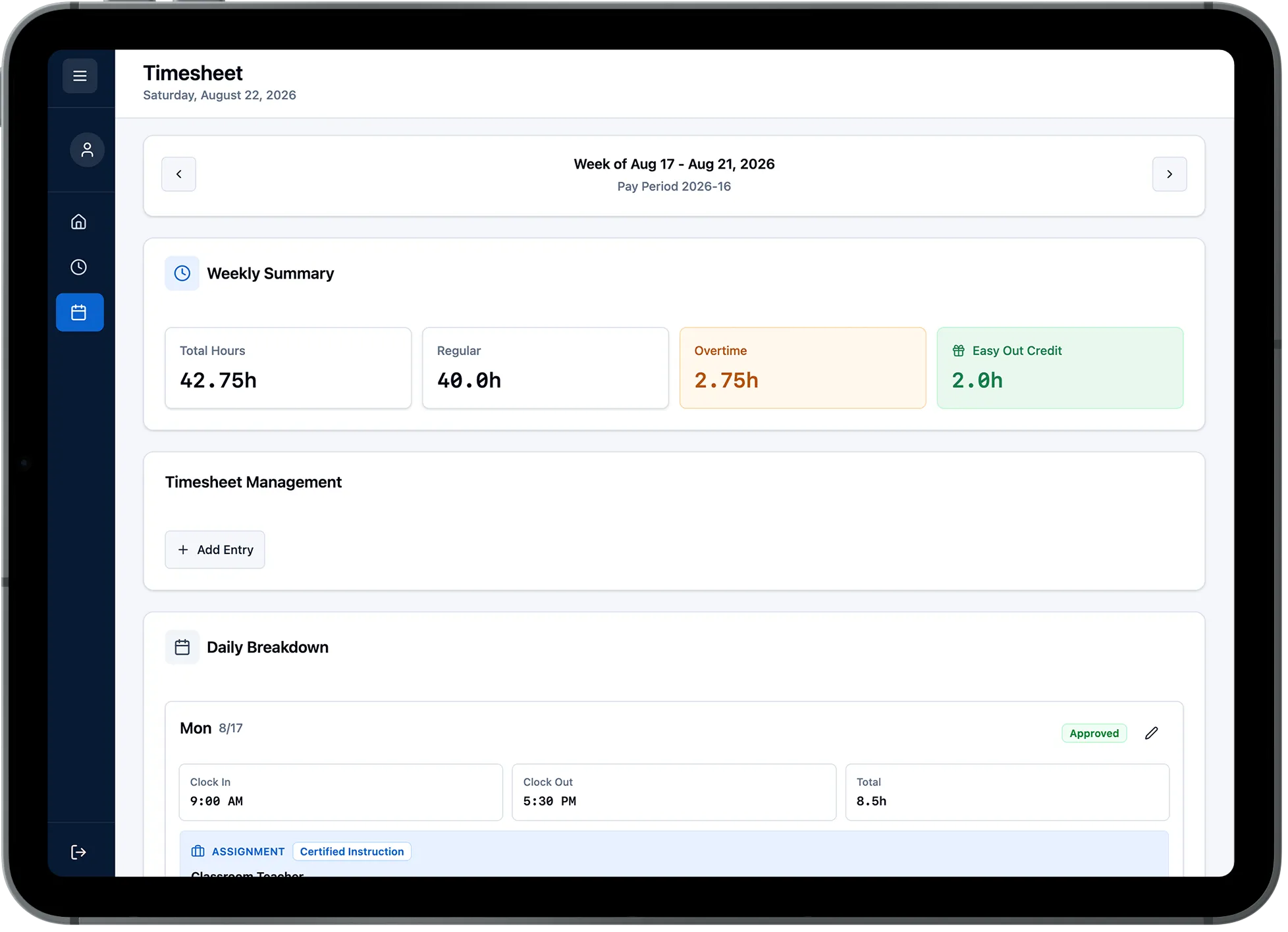
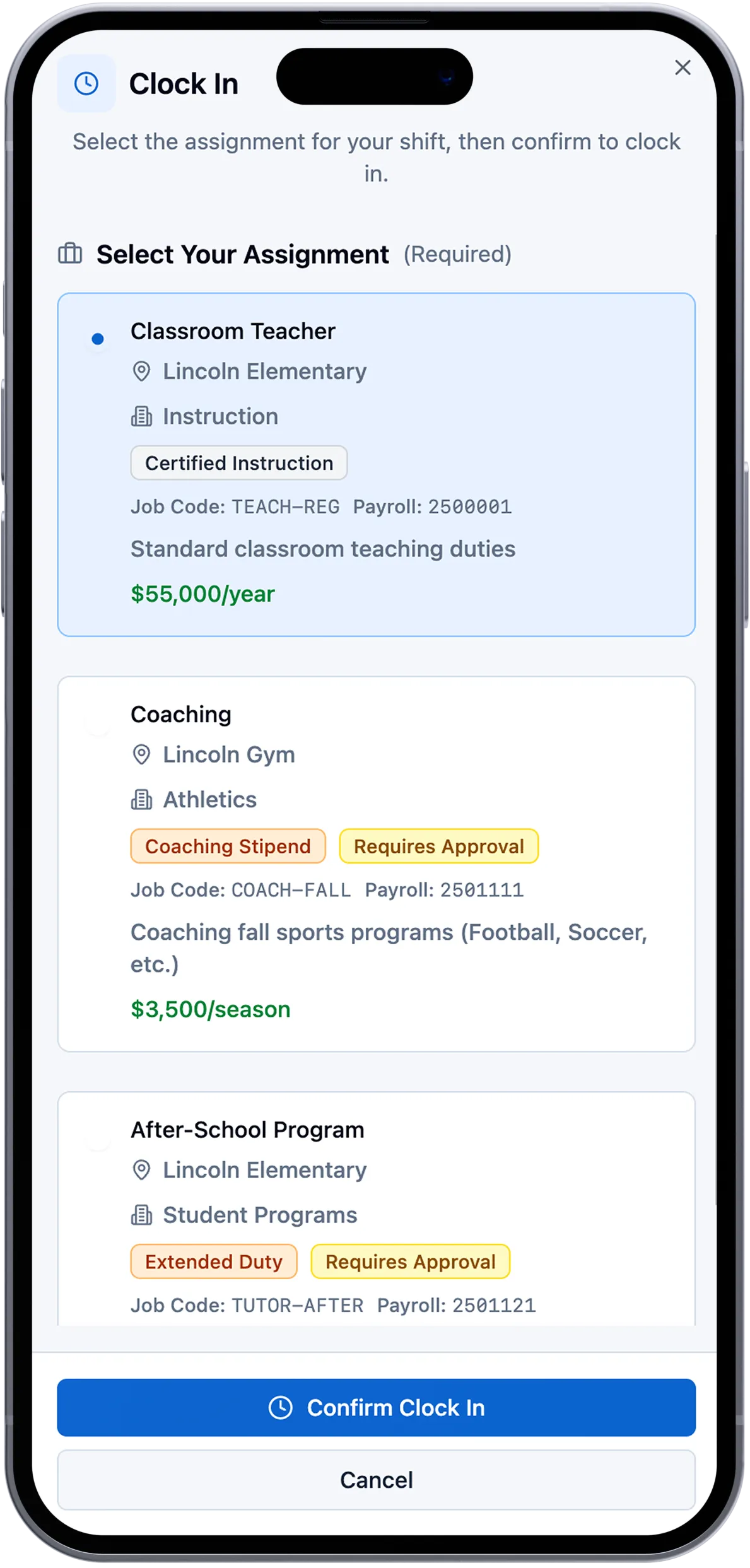
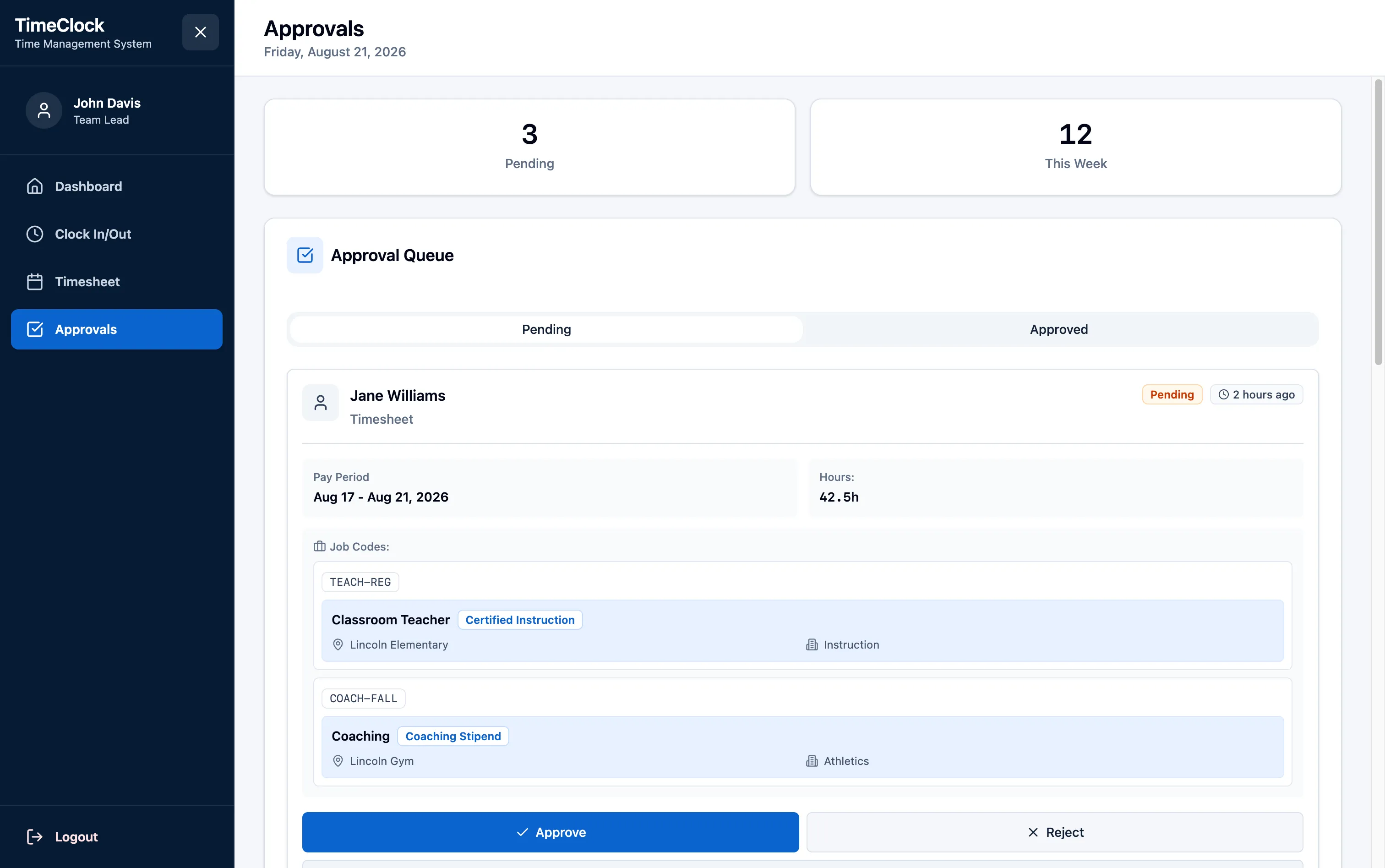
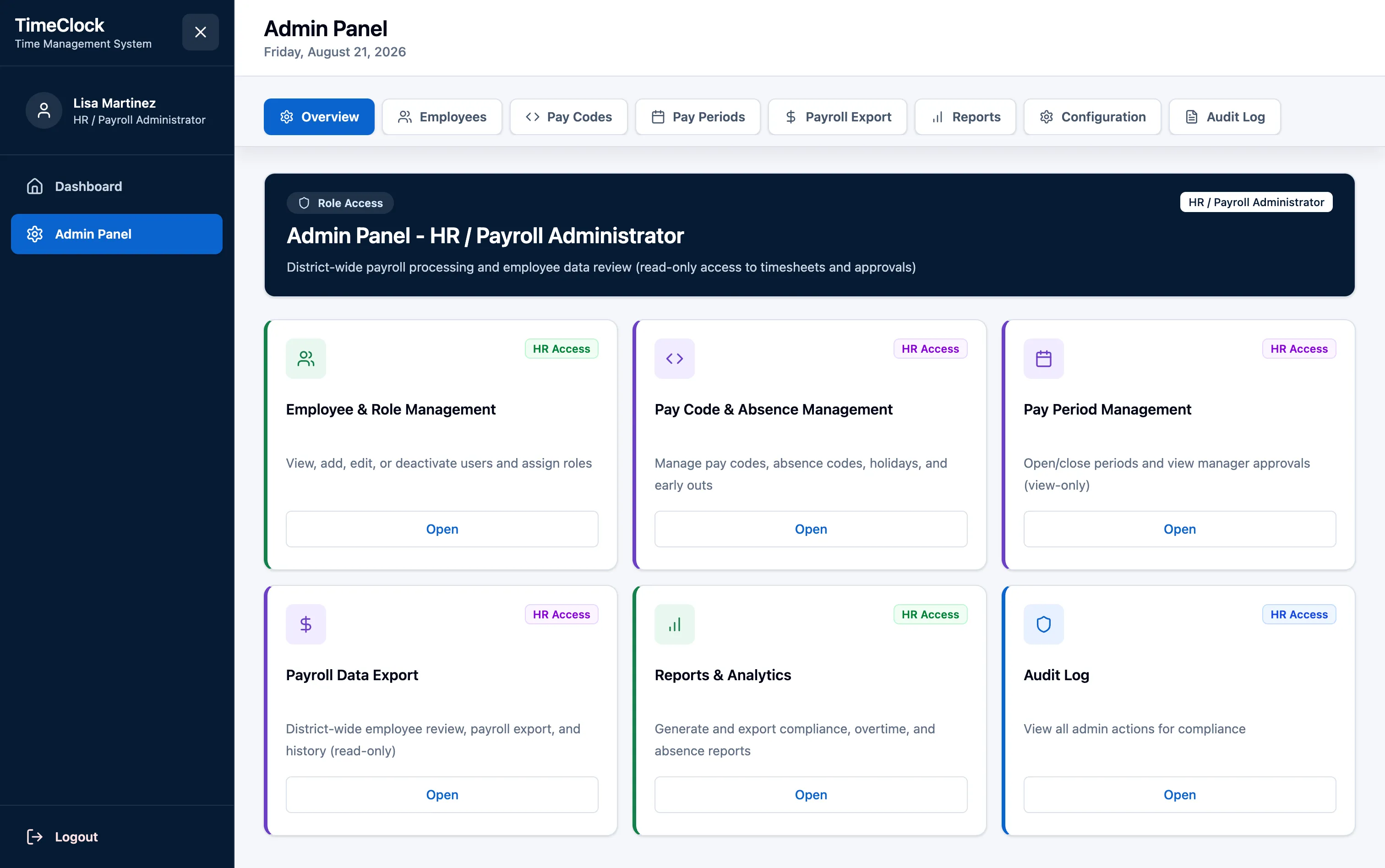
The focused phone interface supports the concept of recording time through a mobile screen, while the surrounding tablet and desktop views show timesheet review, manager approvals, and administrative oversight. These images describe distinct workflow surfaces; they do not imply that every role or access policy is production-deployed.
Progress is visible in validation, not unverified savings.
At this stage, the supported outcomes are qualitative: a clearer product direction, documented requirements, and refined role-specific workflows. No measured adoption, financial savings, or completed district-wide replacement is claimed. Further implementation and evaluation are needed to establish operational outcomes.
- Workflow validation
- Clearer requirements
- Identification of usability/process gaps
- Clarification of operational controls
- Refinement of role-specific workflows
- Preparation for further development
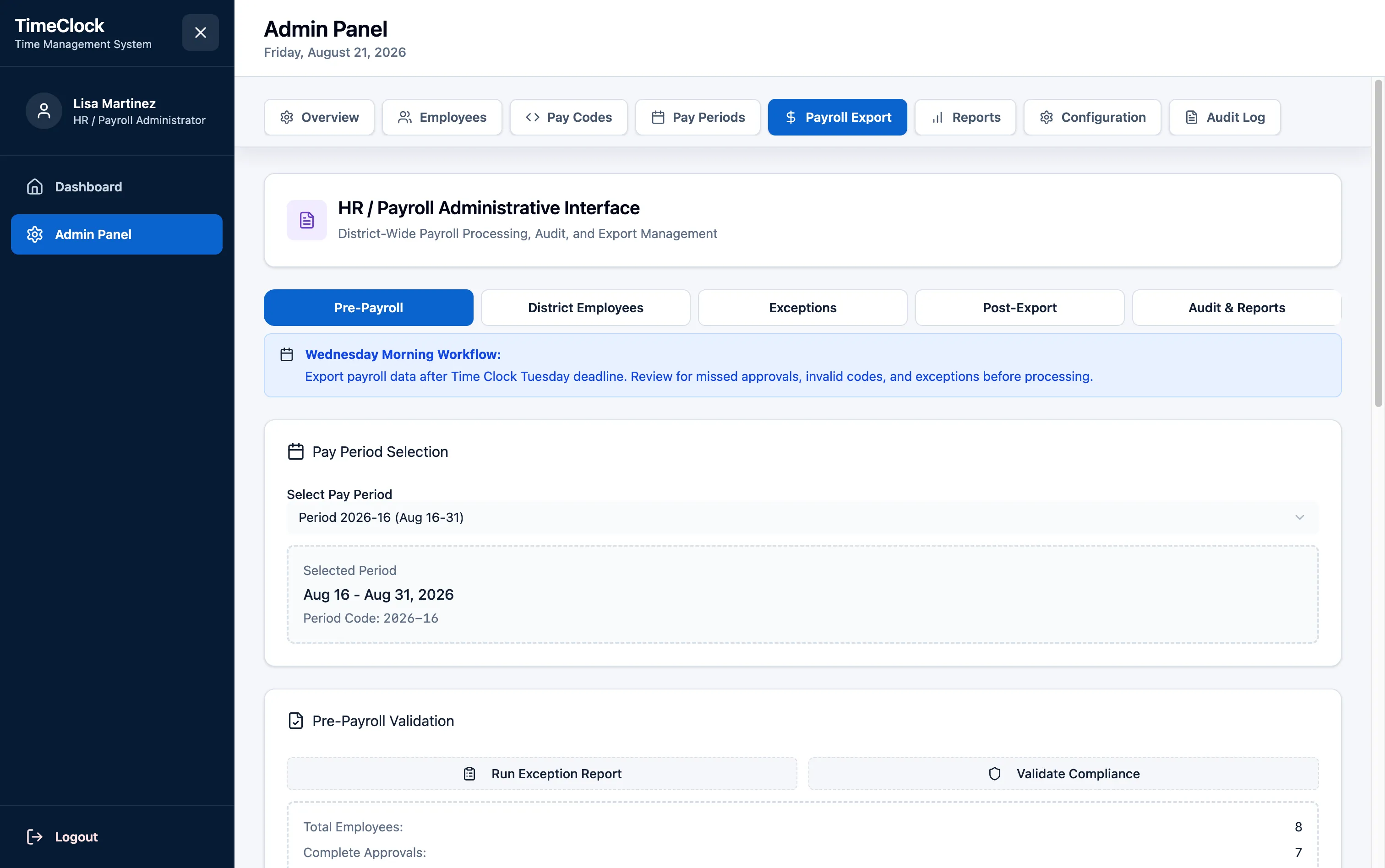
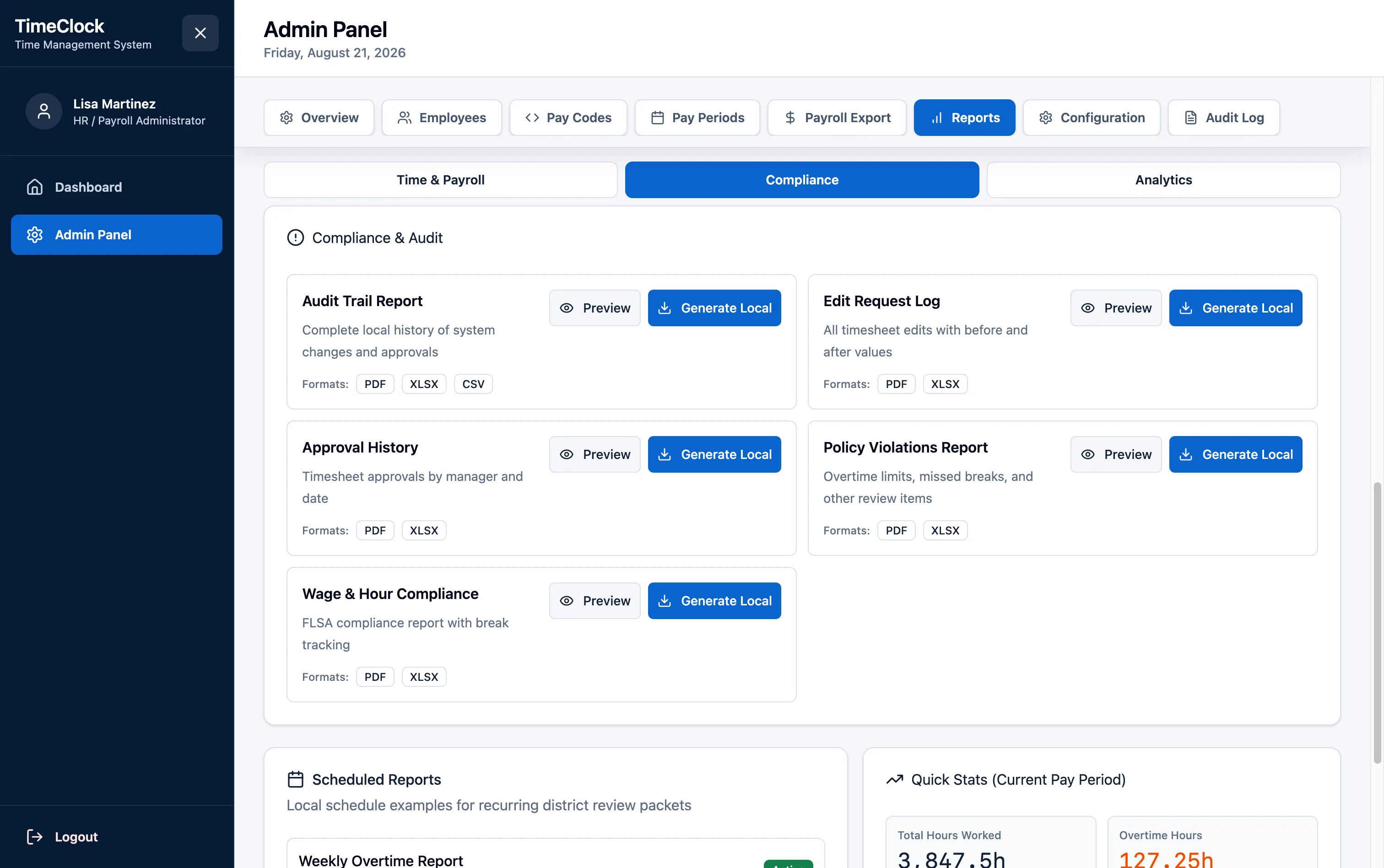
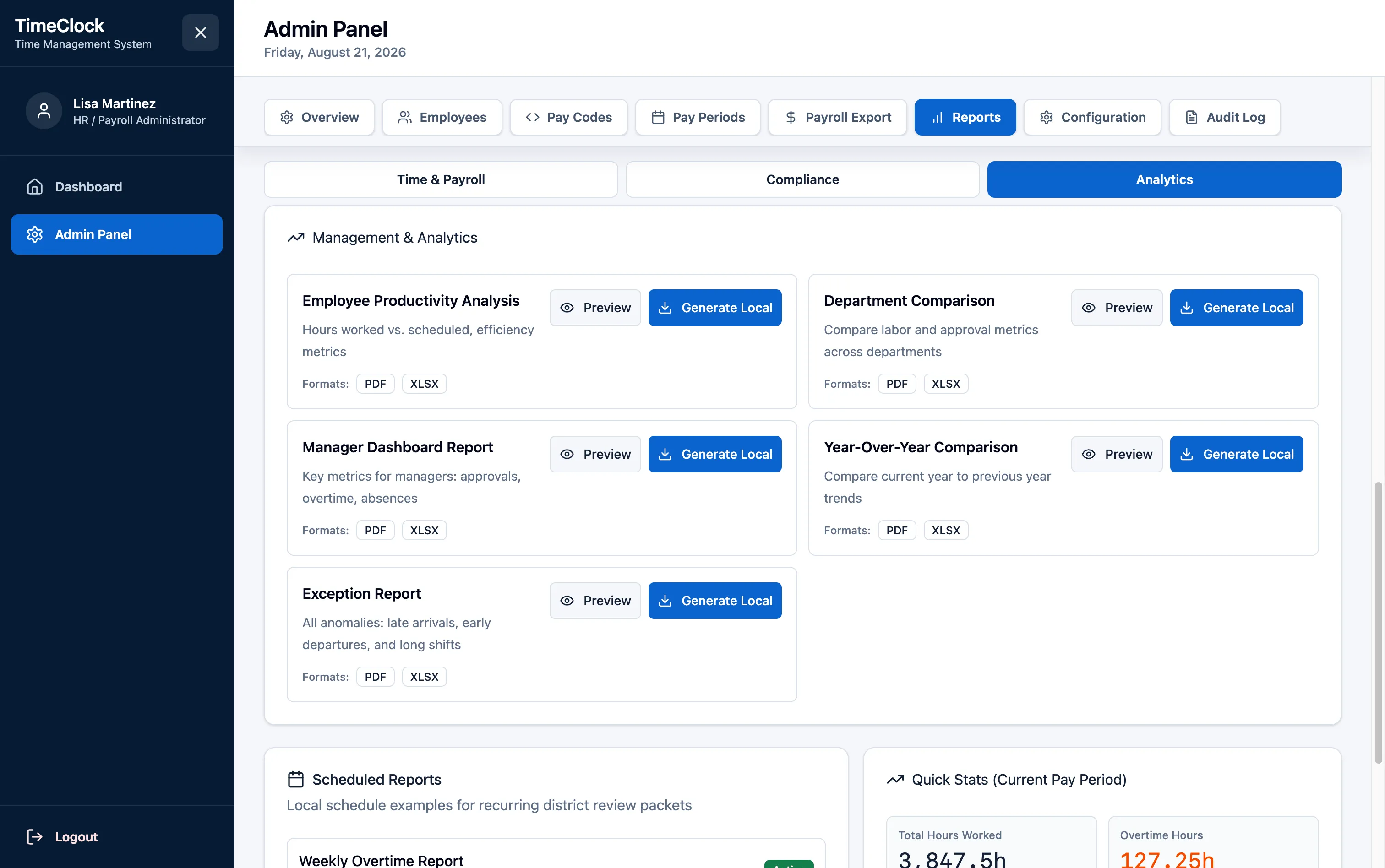
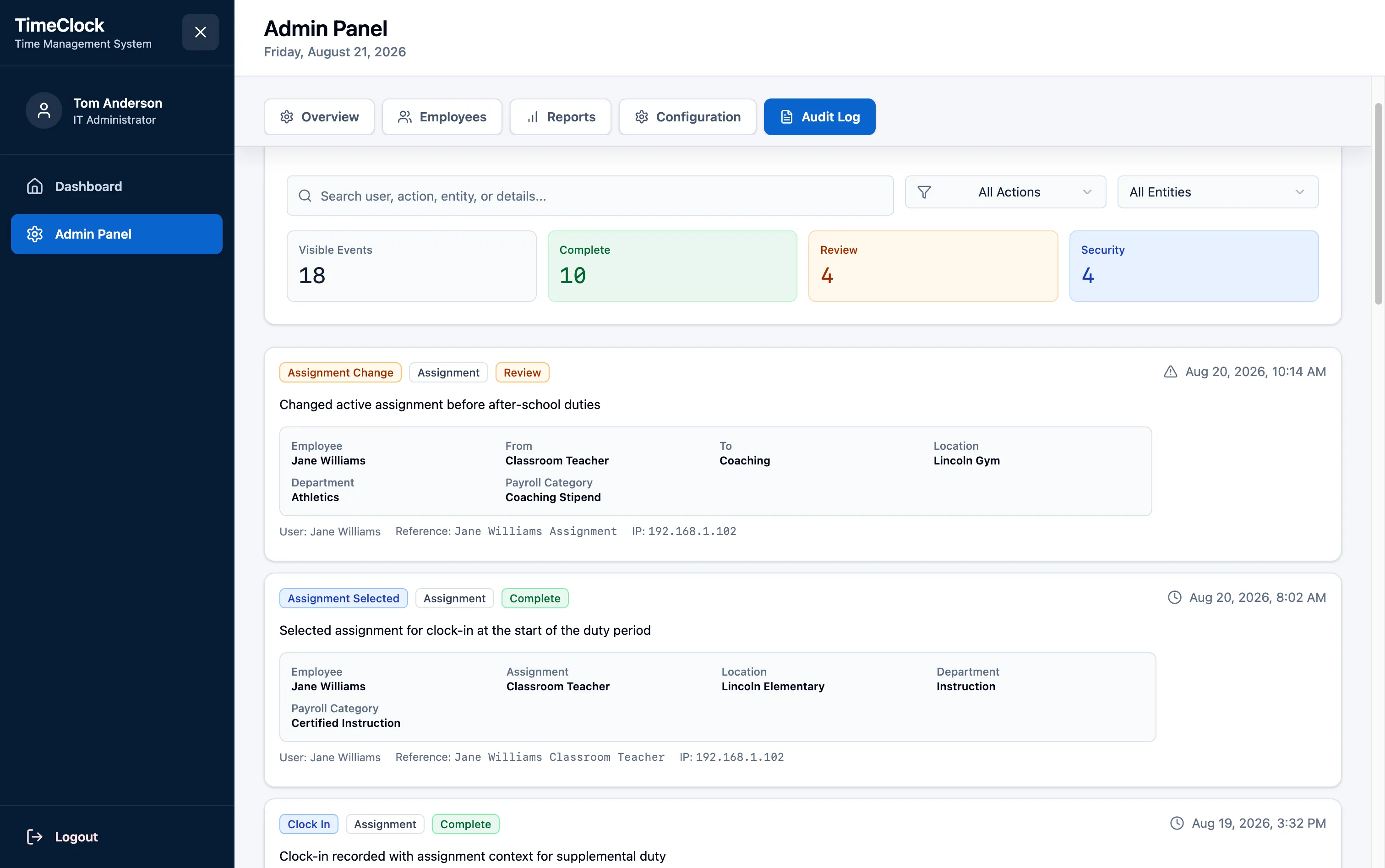
Payroll readiness, reporting, and traceability need distinct evidence.
The reporting screens show different kinds of operational visibility, but the images are not all live exports: most report views remain demonstration previews, and the payroll screen does not establish a real payroll file. The audit interface is supported by a read-only, cursor-paginated endpoint in the local harness for HR/Payroll, IT Administrator, and System Administrator roles. The endpoint is not served in Cloudflare Access mode and has not been released or deployed.
Explore the functional Time Clock Management System using fictional demonstration data.
Launch Interactive Demo